
WP Rocket dashboard
WP Rocket version 3.24 introduced a new dashboard that's expected to improve users' experience. This article explains how features are organized in the WP Rocket dashboard and where to find settings in the new interface.
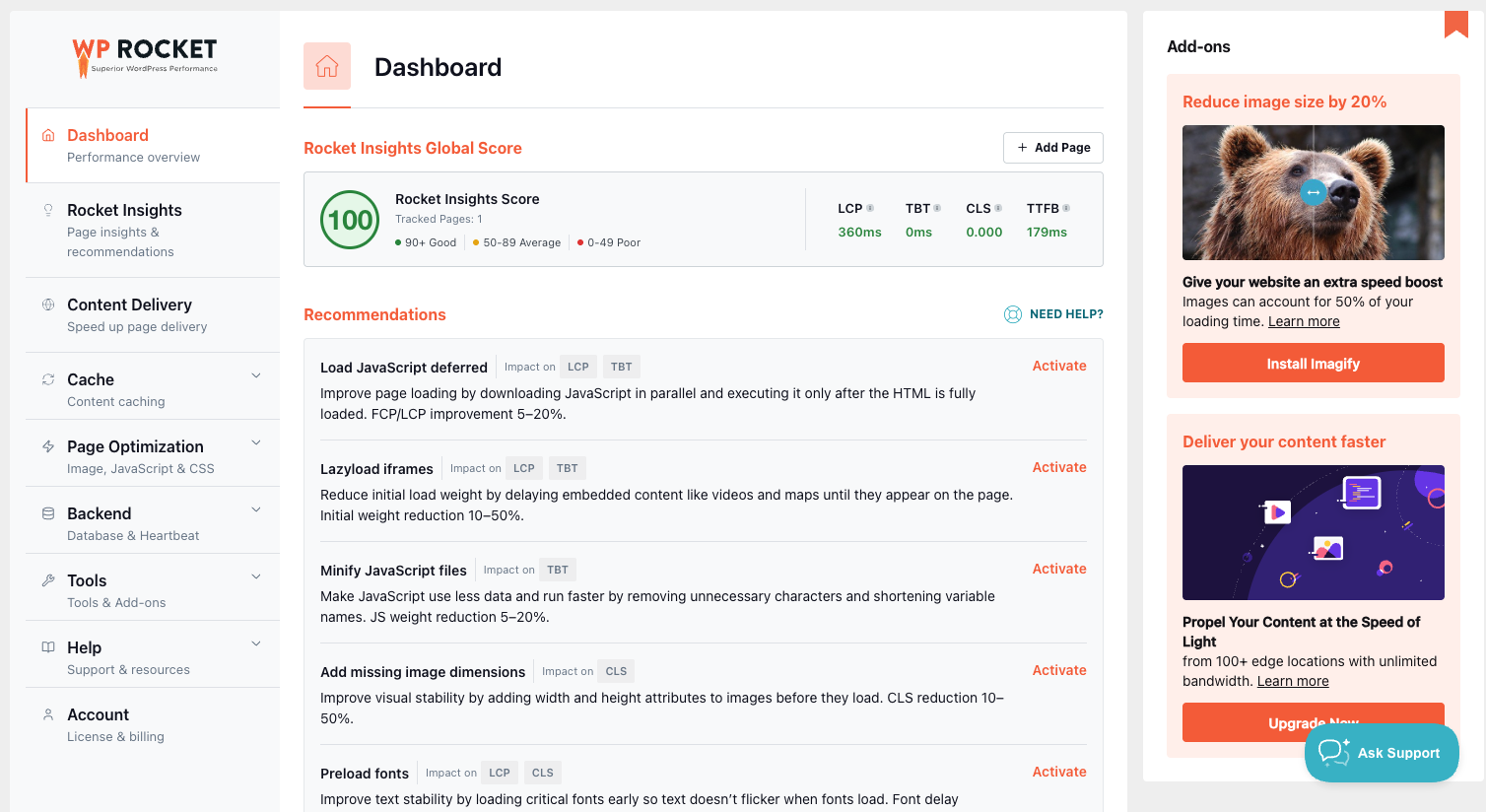
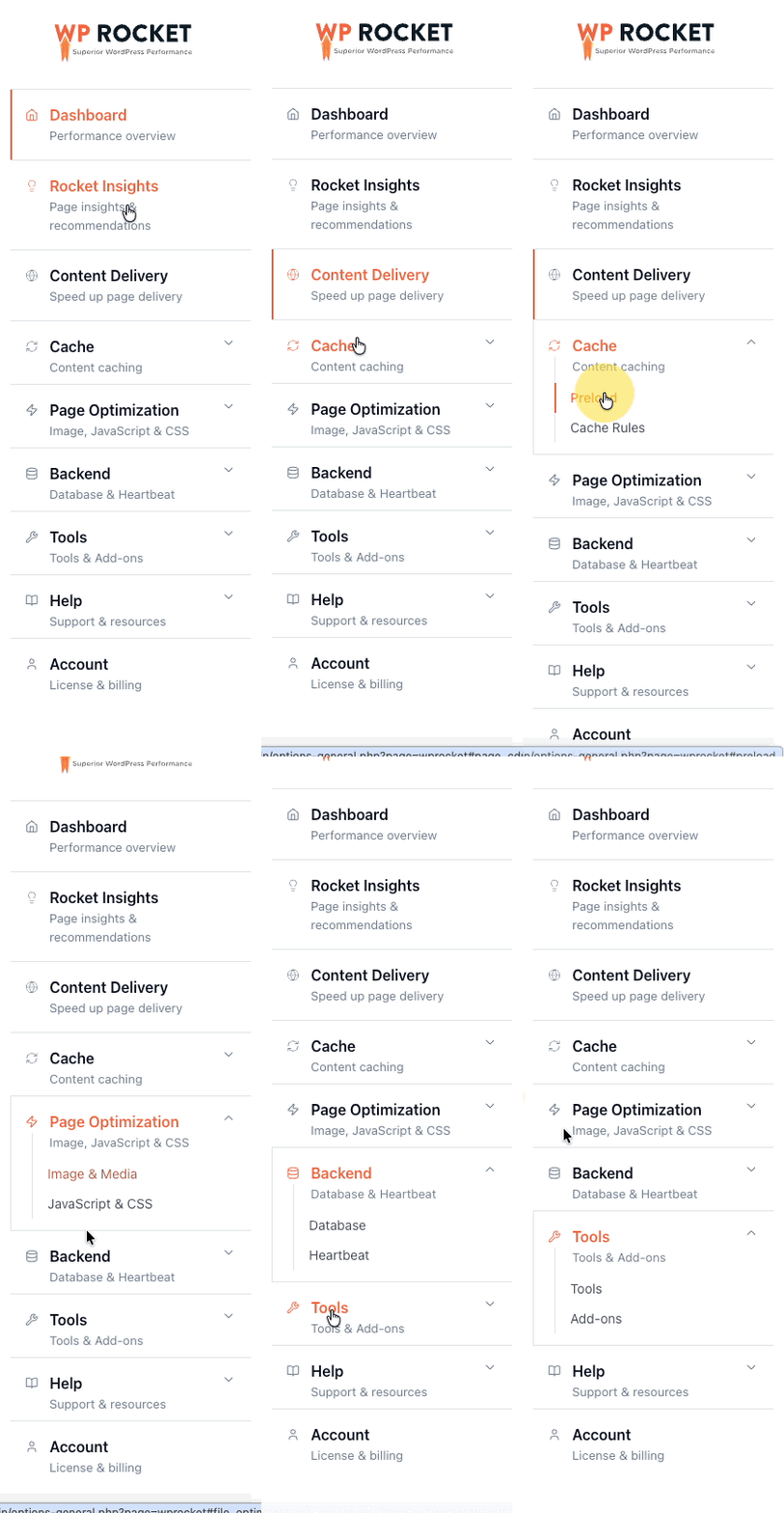
The WP Rocket information and settings are reorganized in the pages and sub-pages as shown below:
Dashboard
Contains the performance overview based on the Rocket Insights global score and recommendations.
Rocket Insights
Contains the Rocket Insights add-on.
Content Delivery
In the Content Delivery page, you can find:
Cache
The Cache page contains those features related to page caching.
Preload
The Preload sub-page includes:
Cache Rules
The Cache Rules sub-page has these features:
- Cache Lifespan
- Never Cache URL(s)
- Never Cache Cookies
- Never Cache User Agent(s)
- Always Purge URL(s)
- Cache Query String(s)
- User Cache
Page Optimization
On Page Optimization, the features that optimize the images, fonts, CSS, and JavaScript are available.
Image & Media
The Image & Media sub-page has these features:
- LazyLoad, LazyLoad for CSS background images, LazyLoad for iframes and videos, and Replace YouTube iframe with preview image
- Add missing image dimensions
- Preload fonts
- Self-host Google Fonts
JavaScript & CSS
The JavaScript & CSS sub-page includes the options below:
- Minify JavaScript files
- Combine JavaScript files
- Load JavaScript deferred
- Delay JavaScript execution
- Minify CSS files
- Optimize CSS delivery: Remove Unused CSS and Load CSS asynchronously
Backend
The Backend page contains settings that help reduce server load and maintain the WordPress database.
Database
The Database sub-page includes all these optimizations:
Heartbeat
The Heartbeat page includes the Control Heartbeat feature.
Tools
The Tools page contains utility features, integrations, and maintenance options.
Tools
The Tools sub-page has the following:
Add-ons
The following are available inside the Add-ons sub-page:
Help
The Help page provides access to support resources and documentation. It contains these sections:
- Support, external link to the Support Page.
- Tutorials, where the video tutorials can be found.
- Documentation, external link to the Documentation Page.
- Our Plugins, featuring the family of plugins.
Account
The Account page contains your WP Rocket subscription and account information.
Where to find settings that moved
The following table shows where the main settings from the previous interface are located.
| Previous location | New location |
|---|---|
| File Optimization
|
Page Optimization → JavaScript & CSS |
| Media
|
Page Optimization → Image & Media |
| Image Optimization | Page Optimization → Image & Media |
| Preload | Cache → Preload |
| Advanced Rules | Cache → Cache Rules |
| User Cache under Add-ons | Cache → Cache Rules |
| Database | Backend → Database |
| Heartbeat | Backend → Heartbeat |
| Add-ons | Tools → Add-ons |
| Tools | Tools → Tools |
| Tutorials | Help → Tutorials |
| Our Plugins | Help → Our Plugins |
| Account information on the Dashboard | Account |
Existing settings
Updating to WP Rocket 3.24 does not change your existing configuration. Your settings remain enabled or disabled as they were before the update.
Links and bookmarks pointing to pages in the previous interface will open the corresponding location in the new navigation.
If you cannot find a setting or experience an issue with the new interface, contact WP Rocket Support.