
How to check if RocketCDN is working
After having added a page to RocketCDN Free or having subscribed to RocketCDN Pro, there will be a green " Active" tag and a blue toggle set to "On", like this:
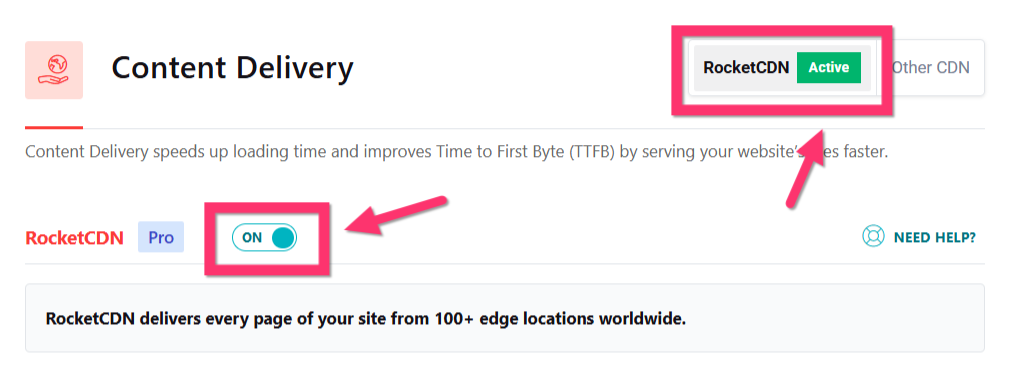
This is really good start but you’d like to check by yourself if your assets are well served from your RocketCDN. Let’s see how to check this !
⚠️ If the option is inactive after subscribing, please refer to this doc: No subscription: How to (re)activate RocketCDN on my site
In this example, we refer specifically to using the Chrome browser.
- 1
-
Open your site in a Chrome private window where you're sure to be logged out of your WordPress admin.
- 2
-
Open Developer Tools. You do that either by right-clicking and choosing Inspect Element, or at the top of the window go to: View→Developer→Developer Tools
- 3
-
Click on Network tab and search for Domain column, you should see your RocketCDN CNAME serving your static assets (JS, CSS & images):

- 4
-
And if you click on any asset served from the RocketCDN, you will see the full CDN URL and
cdn-cacheresponse header showing the cache status of the file:

If this is an initial CDN PULL request for the file, the response header will contain the value
MISS, indicating that the file isn't yet cached on CDN. On the other hand if the file has already been pulled on the CDN, then the value will beHIT, which indicates that the file has been cached on the CDN.

👏🏼 Bravo! You can see now RocketCDN in action!
You may now want to see the performance improvements of RocketCDN?