
Minimize main thread work
The Minimize main thread work is a PageSpeed diagnostic that shows how much time the browser needs to process the main thread.
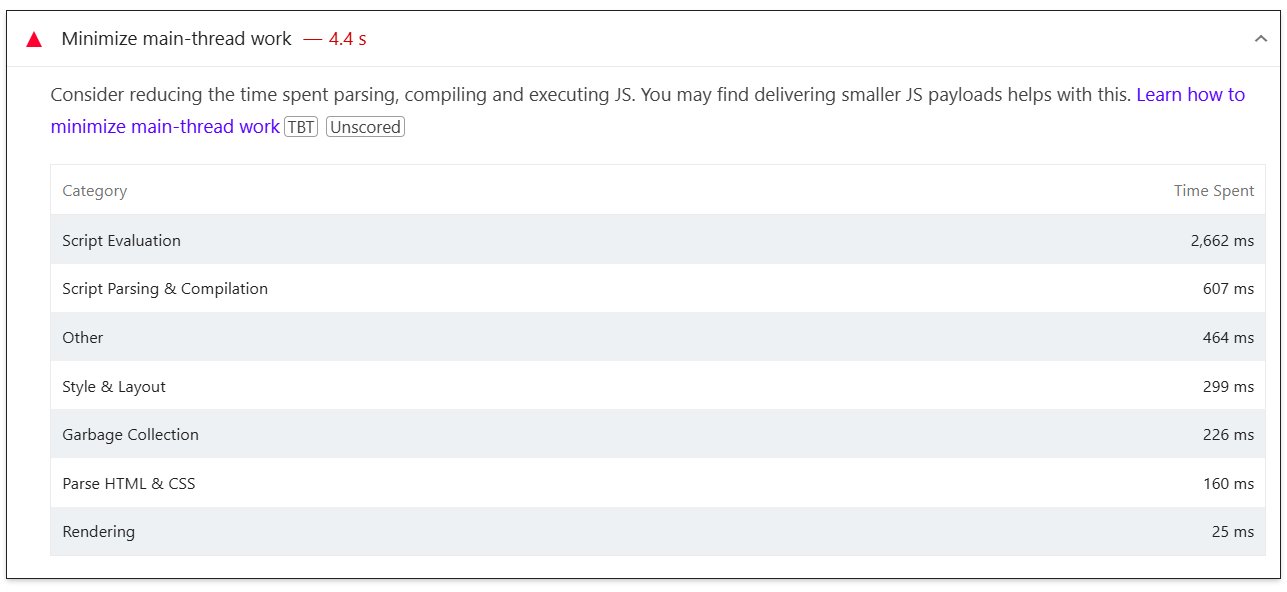
Consider reducing the time spent parsing, compiling and executing JS. You may find delivering smaller JS payloads helps with this. Learn how to minimize main-thread work
Understanding minimize main thread work
The browser’s main thread processes all the scripts and styles needed to display the web page. When it has too much work to do, the thread is blocked and this delays the page load and will make it unresponsive.
PageSpeed will flag pages that keep the main thread busy for longer than 4 seconds during load, and it will show the time the browser had to spend processing the different categories of the site assets.
Many issues listed in this diagnostic come from long tasks, which are JavaScript or rendering tasks that run for more than 50 ms and prevent the browser from responding to user input. You can find more information in Google's Optimize long tasks article.
How to minimize main thread work
WP Rocket features can help in each category, as follows:
Style & Layout and Rendering
- Automatic Lazy Rendering - Note: The improvements are especially noticeable when a page has several heavy HTML elements that had been lazily rendered.
WP Rocket can’t further help here, as it’s related to the DOM and to the layout structure. More details in these articles:
- Reduce the scope and complexity of style calculations
- Avoid large, complex layouts and layout thrashing
Parse HTML & CSS
Script Parsing & Compilation
Garbage Collection
WP Rocket can’t help here, as this is the time Chrome spends to collect the memory usage. You can read more on this page.
Script Evaluation
WP Rocket optimizations can't improve this category because this depends on how much and how complex JavaScript is for the browser. You can find more information in this article.