
Cumulative Layout Shift
Cumulative Layout Shift (CLS) is one of the Core Web Vitals. This article explains what this metric is, and how to improve it.
Overview of Cumulative Layout Shift
Based on PageSpeed, layout shifts negatively affect the user experience because the site visitor can end up clicking on the wrong button, or have their reading disrupted, if the page elements move unexpectedly. To avoid this, your website should have strong visual stability.
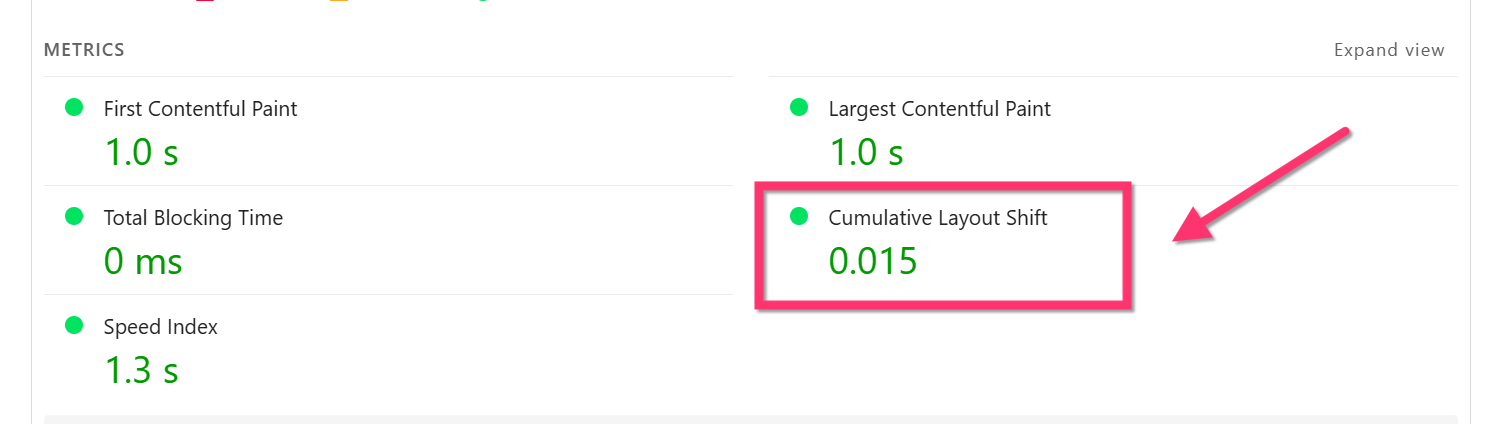
You will find this metric as part of Google PageSpeed or Lighthouse reports.
A layout shift is how an element changes position while the page is loading.
Here is an example of layout shift:

The CLS metric focuses on unexpected layout shifts on testing tools. Meaning, it only counts the layout shifts not induced by user interaction (mouse hover, click on a button).
Layout shifts depend on how elements change their size and position. The bigger the element, the more noticeable the change will be, and the more intense its influence will be on other neighboring elements.
The following are the main causes of layout shift:
- Images without dimensions.
- Dynamically injected content.
- Web Fonts causing a Flash of Unstyled Text (FOUT).
- Actions waiting for a network response before updating DOM.
- Unexpected animations and transitions.
This metric has a greater impact on mobile because of the smaller viewport, the higher impact of the heavy JavaScript and CSS processing, and the weaker CPUs of the mobile devices.
CLS is calculated during the whole page lifecycle from loading until exit. So, all layout shifts happening in-between will be part of the final CLS score for a particular visit.
How to find the layout shift culprits
In the PageSpeed Insights report, scroll down to the Layout shift culprits insight to find the elements that change their position while the page is still loading.

How does WP Rocket improve CLS
These WP Rocket optimizations should improve the CLS metric:
- Add missing image dimensions - It will set a static dimension for images. No layout shift will happen even if the images are lazy-loaded.
- Remove Unused CSS - This option will help speed up the display of above the fold content, without having any render-blocking element. Use Load CSS Asynchronously if Remove Unused CSS can't be used on your site.
- Replace YouTube iframe with preview image - The preview image helps stabilize the layout.
- Preload fonts - This feature gives more chances to avoid FOIT.
- Delay JavaScript Execution - By targeting elements above the fold, it stops dynamic interaction, content injection (ads), dynamic class changes until there is an interaction on the page.
CLS is worse with WP Rocket
Under some circumstances, some features could negatively affect the CLS score, as follows:
- Load CSS asynchronously - In cases where it generates a Flash Of Unstyled Content (FOUC), the unstyled content will cause layout shift. This can be fixed by excluding files.
- LazyLoad - When applied to above-the-fold images that don’t have dimensions set, as it will cause the layout shift when the image is finally loaded. This should be fixed by Optimize critical images, by Add missing image dimensions, or by excluding the affected image from being lazyloaded.
- Load JavaScript deferred - When JavaScript is needed to display elements above the fold. To fix this, you should exclude the JavaScript files needed to display above-the-fold content.
How to further improve the CLS
In general, CLS issues are not caused by WP Rocket, but by the way the website was built. To improve the CLS issues from root, please mind the following:
- Reduce unexpected animations.
- Avoid injecting content to the viewport, especially when it's inserted above elements.
- Missing iframe or injected content width and heights